
Technology Orientation for Students
Complete these steps in order before using university student systems.
First priority: Set up Cardinal Mail Provided by Gmail before trying to use Cardinal Students.
Technology Setup Overview
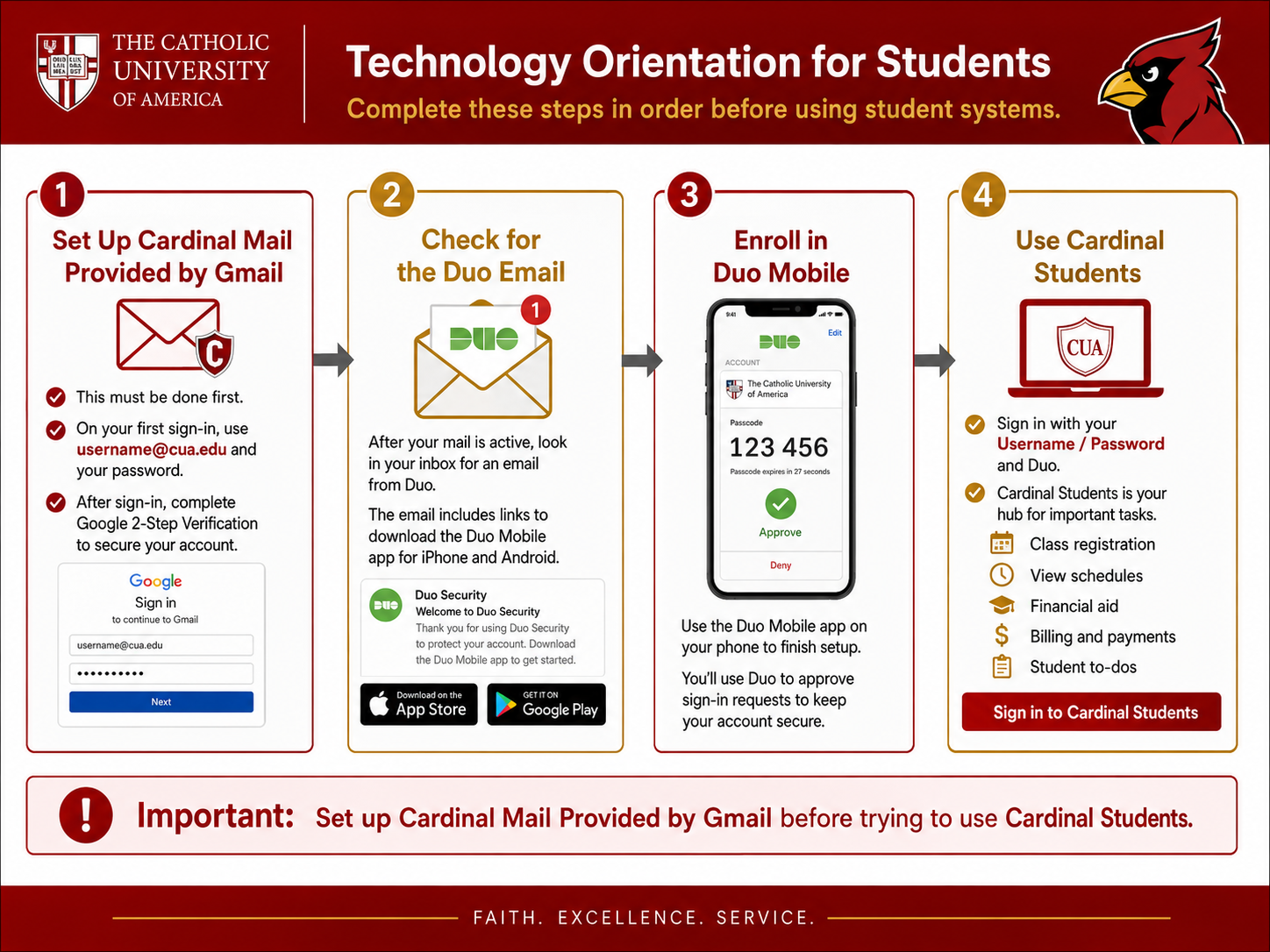
Set Up Cardinal Mail Provided by Gmail
Do this before anything else
- Go to the Cardinal Mail sign-in page.
- Sign in using [email protected] and your password.
- Complete Google 2-Step Verification when prompted.
- Finish setup and open your Cardinal Mail inbox.
Google 2-Step Verification is required the first time you sign in.
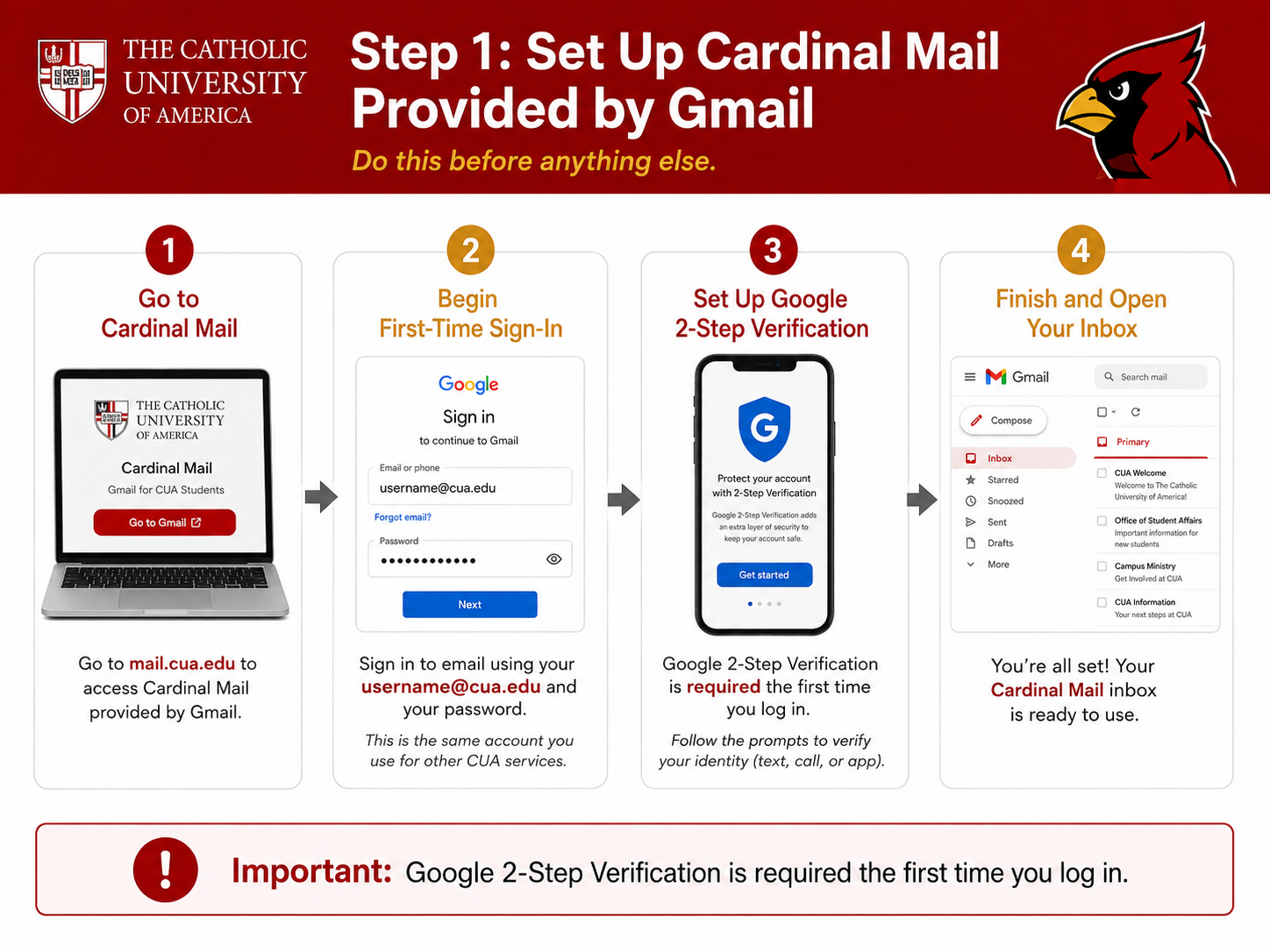
Find the Duo Email
Check Cardinal Mail after setup is complete
- Open your Cardinal Mail inbox.
- Look for an email from Duo Security.
- Open the message and follow its setup link.
- Download Duo Mobile for iPhone or Android.
You will need a smartphone to use Duo Mobile.
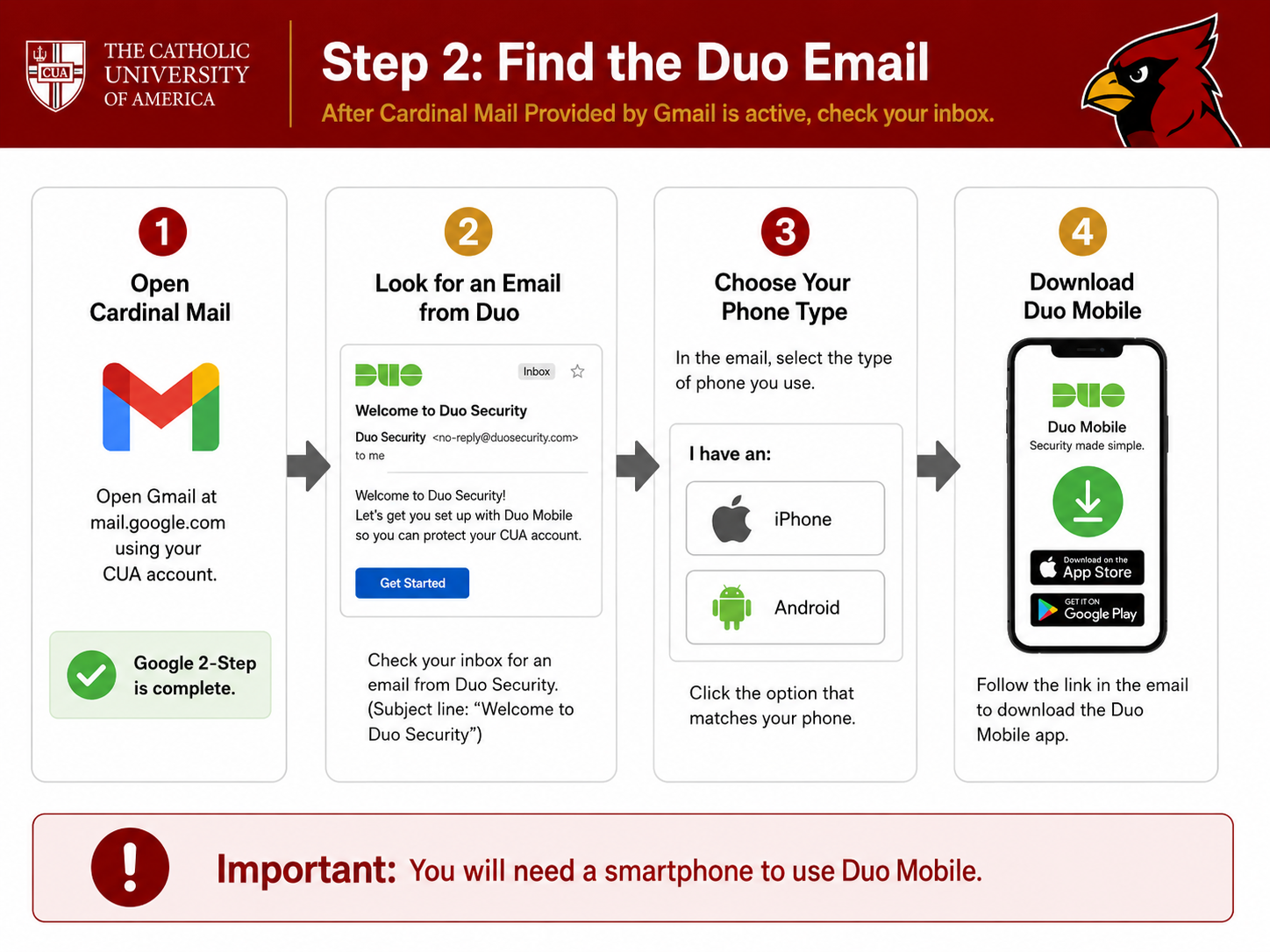
Enroll in Duo Mobile
Connect your phone to Duo
- Open the Duo Mobile app.
- Use the activation link or QR code from the Duo email.
- Follow the prompts to complete enrollment.
- Approve a test login request.
Only approve a Duo request when you are actively signing in.
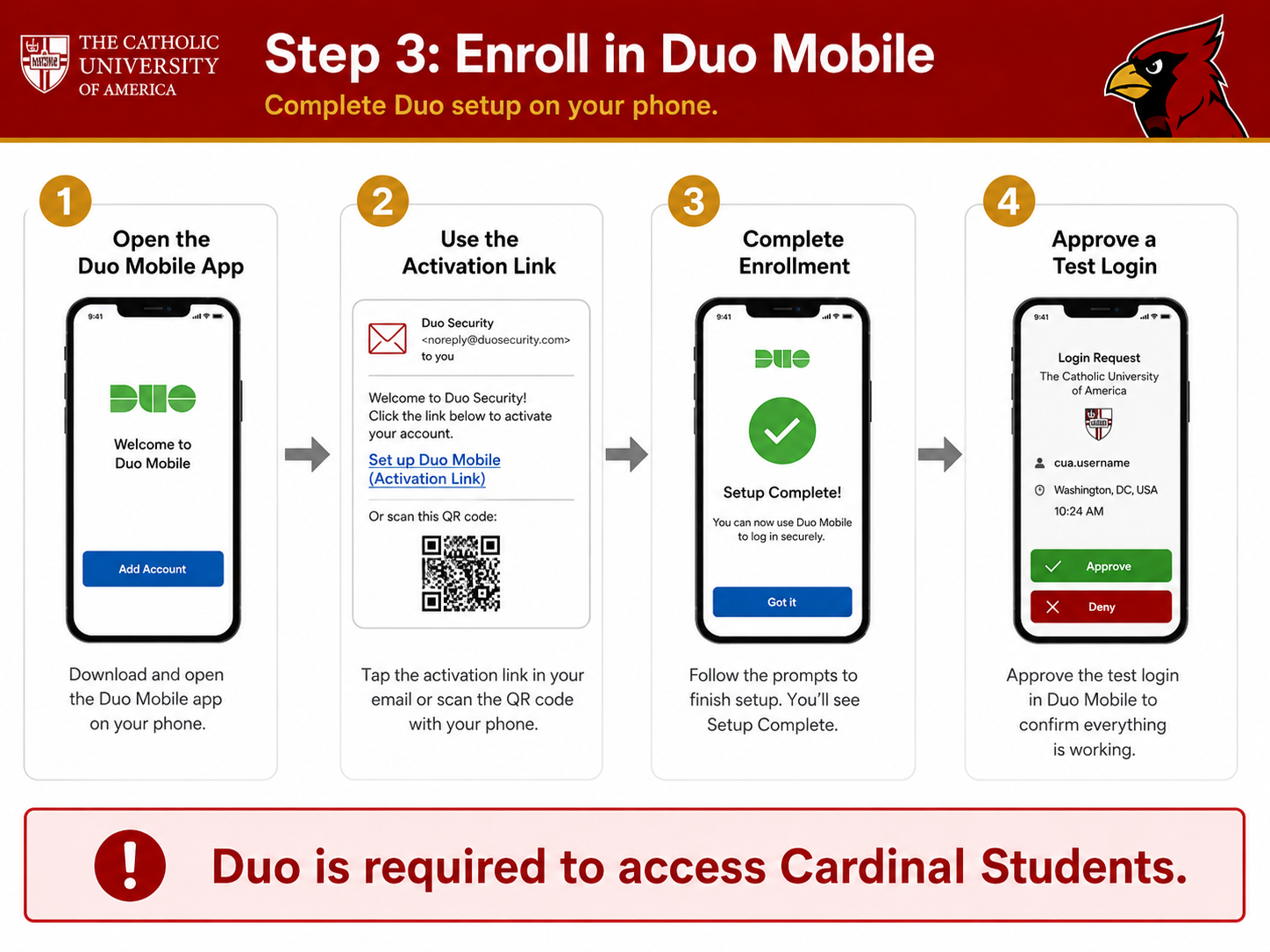
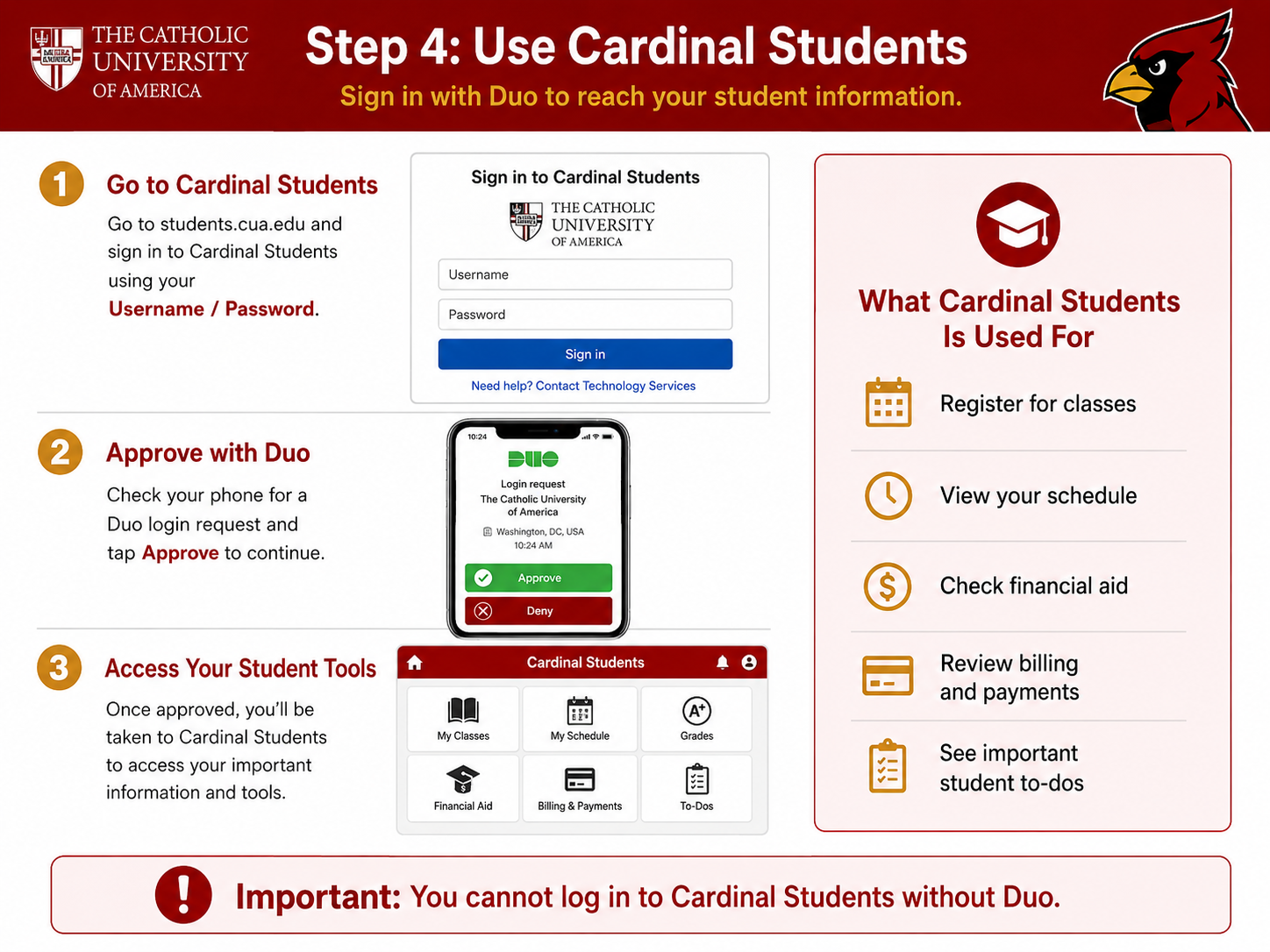
Use Cardinal Students
Sign in with your CUA username
- Go to Cardinal Students.
- Sign in using your username and password.
- Approve the Duo request on your phone.
- Access registration, schedules, financial aid, billing, and student to-dos.
You cannot log in to Cardinal Students without Duo.
Need help?
Contact Technology Services if you have trouble signing in, completing Google 2-Step Verification, receiving the Duo email, or enrolling your phone.