
Cardinal Login Is Moving to Entra ID
The Catholic University of America is updating Cardinal Login from the current Standard SSO login screen to Microsoft Entra ID. This change provides a more modern and secure sign-in experience while continuing to use your Catholic University account.
What is changing? Some University systems that previously showed the red Cardinal Login page will now show a Microsoft-style sign-in page branded for The Catholic University of America.
What the login screens look like
Current Standard SSO Login
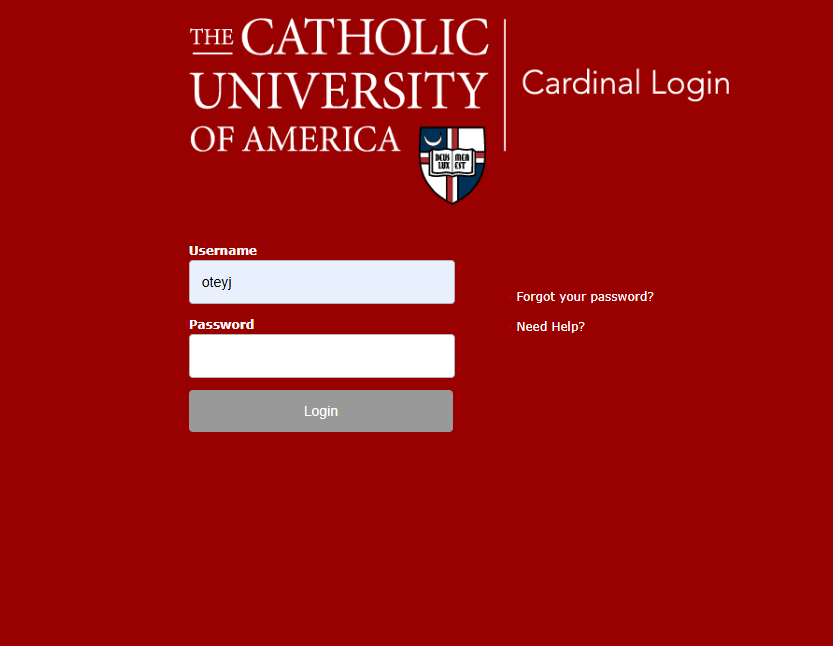
The current Cardinal Login screen asks for your Cardinal username and password on a red Catholic University login page.
New Entra ID Login
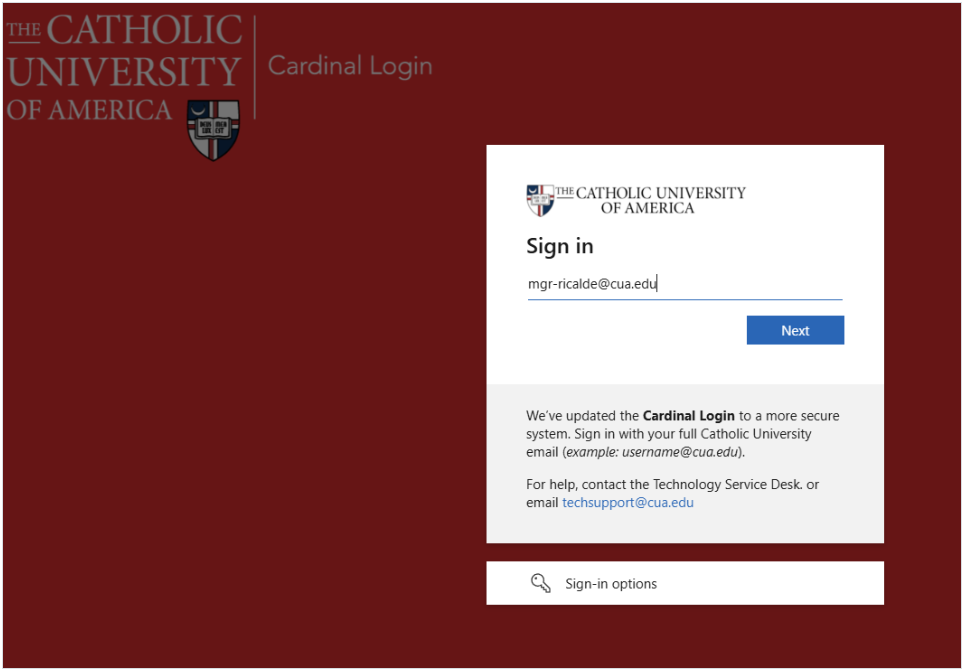
The new Entra ID login screen asks you to sign in with your full Catholic University email address, such as [email protected].
The most important change
When you see the new Entra ID login screen, enter your full Catholic University email address instead of only your username.
How to know you are on a legitimate login page
When using the new Entra ID login page, you can help confirm that you are on a legitimate Microsoft sign-in page by checking the beginning of the page URL in your browser.
The new login page should begin with:
You should also see Catholic University branding on the sign-in page. If the page looks suspicious, the address does not look right, or you are unsure whether the page is legitimate, do not enter your password. Contact the Technology Service Desk for assistance.
Old login compared with new login
| Previous Standard SSO Login | New Entra ID Login |
|---|---|
| Red Cardinal Login page | Microsoft-style sign-in page branded for Catholic University |
| May ask for only your Cardinal username | Asks for your full Catholic University email address |
| Example: oteyj | Example: [email protected] |
| Password entered on the Cardinal Login page | Password entered through the Entra ID sign-in process |
| Duo may appear after login depending on the application | Duo may appear after login depending on the application |
What you need to know
- The login screen may look different than it did before.
- Use your full Catholic University email address when prompted, such as [email protected].
- Your Catholic University password is still used.
- You may be prompted for Duo after entering your password.
- The new Entra ID login page should begin with https://login.microsoftonline.com/.
- This change helps improve the security and consistency of University login pages.
Why are we making this change?
Moving Cardinal Login to Entra ID gives the University a more secure and consistent sign-in experience across supported systems. It also helps align Cardinal Login with the way many modern applications already handle authentication.
What should I do if I see the new screen?
Enter your full Catholic University email address, then follow the prompts to complete sign-in. For most users, this will be your Cardinal username followed by @cua.edu.
Need help?
If you need help signing in, contact the Technology Service Desk at [email protected].